Film and camera assets
Manage unshot film and frequently used cameras together.
An on-device archive for real film photography
Organize by roll. Find in seconds. Share with context. Organize film photos by roll, find any roll by film, date, or title, and share your photos with their original roll context.
A home for every frame
Keep the stock, format, notes, and scans in one record—then find that roll again by date, film, or title.



An on-device archive for real film photography
Roll36 does not take photos or add film effects. It organizes photos you have already shot on real film, developed, and scanned—one roll at a time, with its original sequence and context.
Your archive, over time
Browse a visual timeline, open a month, and move naturally between favorite frames and the rolls they came from.
Keep 135, 120, and custom formats together with stock, dates, expected or actual frame count, and notes.
Pull the frames you love into one focused collection without losing their original roll context.
Export a roll card that keeps the frames, film stock, and roll details together.
Your archive stays available on the device, with optional syncing across your own devices.
The real app
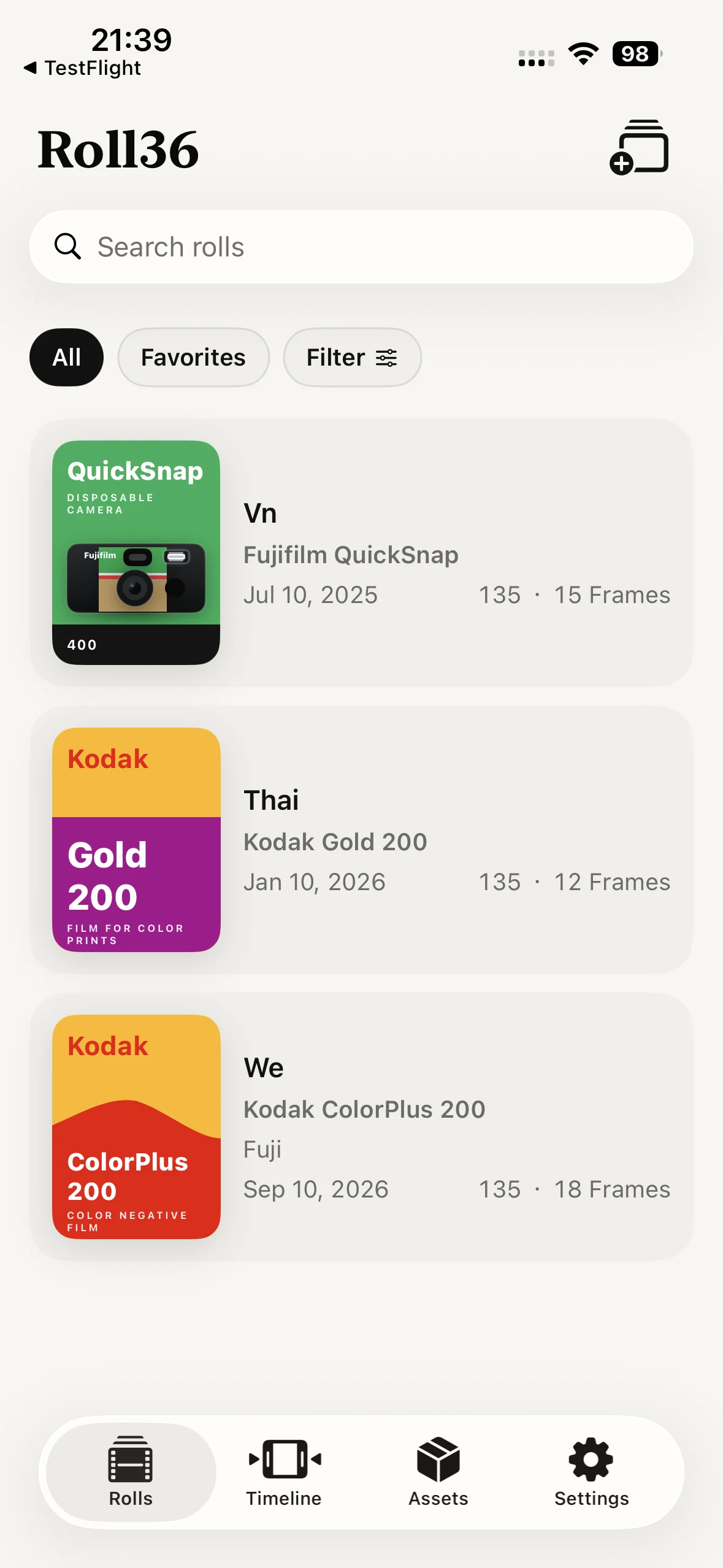
Browse every roll with its film, date, camera, and frame details in one place.
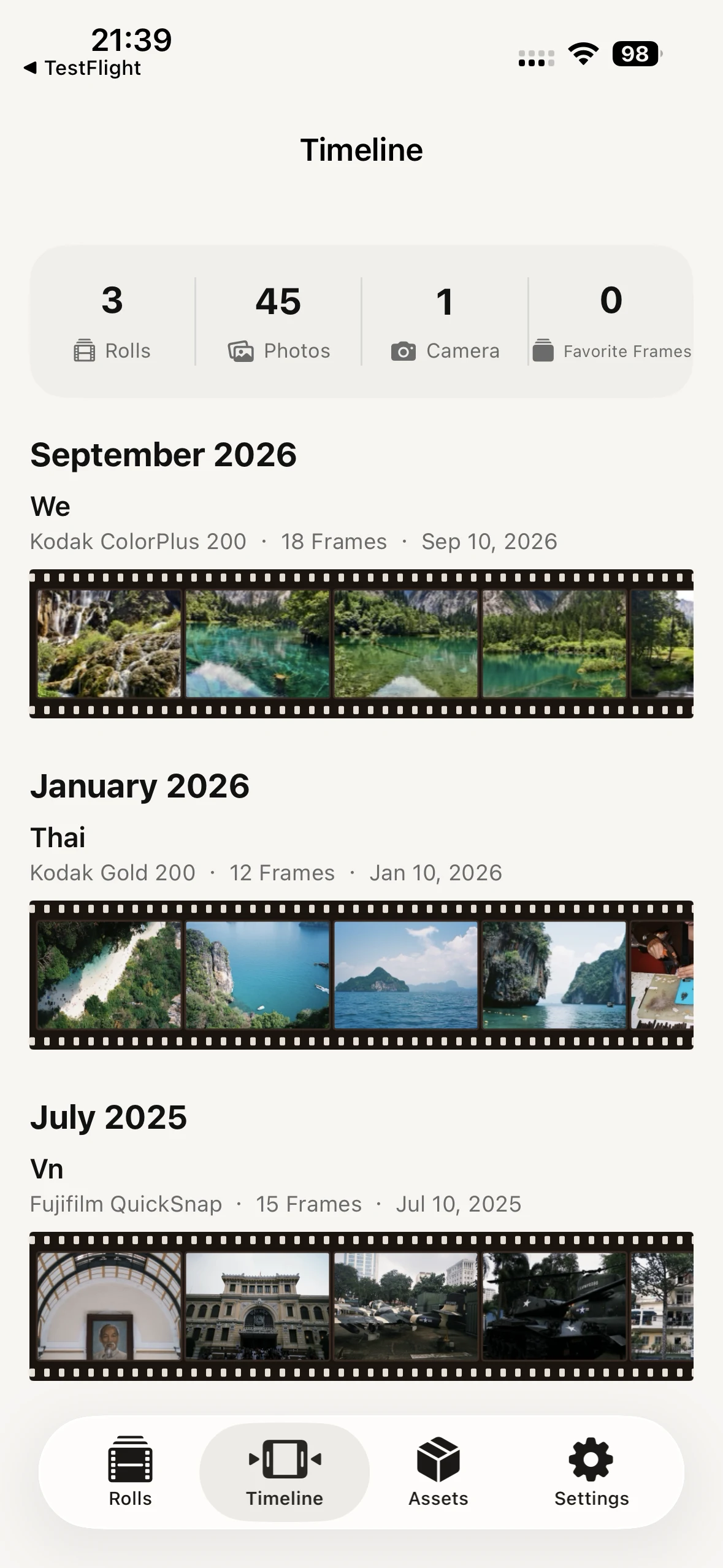
See your rolls arranged over time with their film, camera, and frame context.
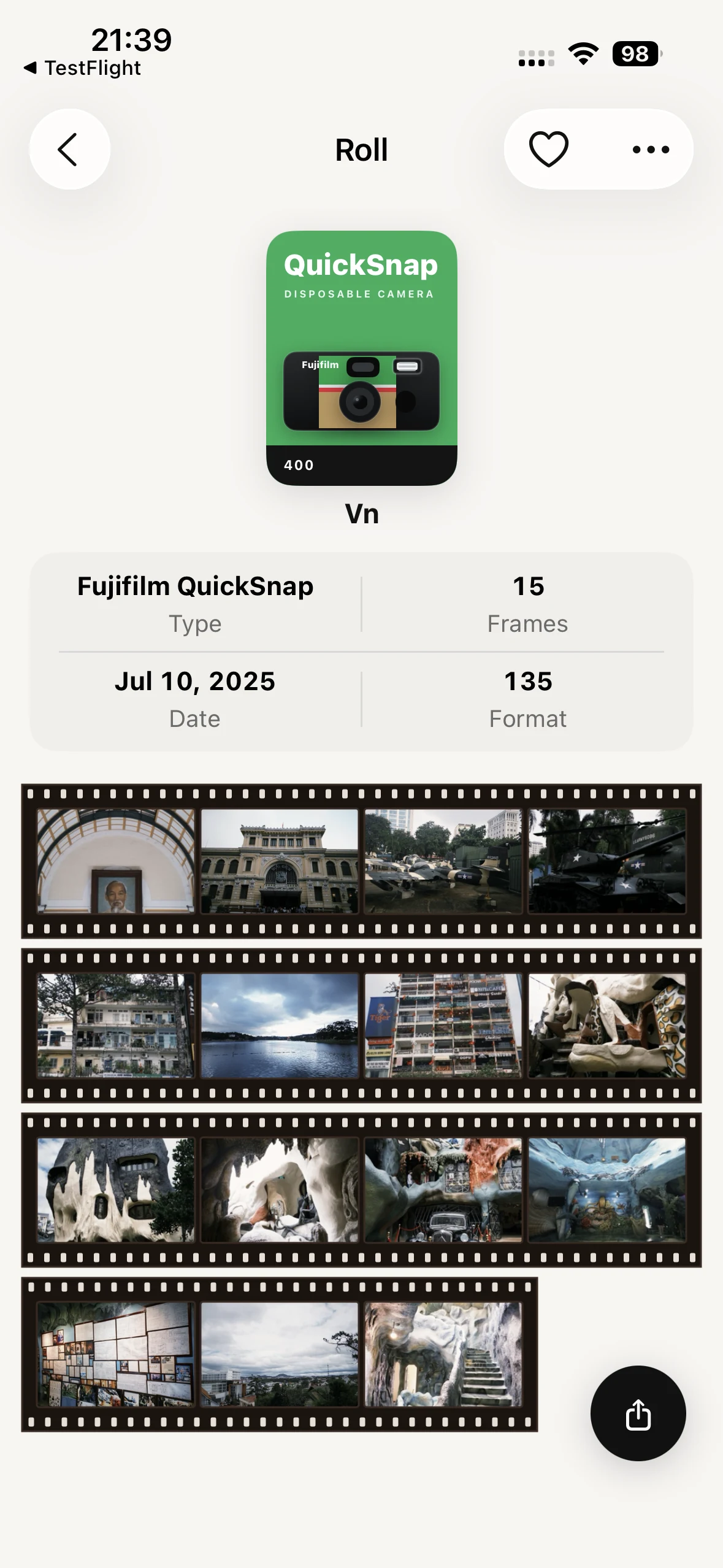
Open a roll to see its film information, frame count, date, and complete film strip.
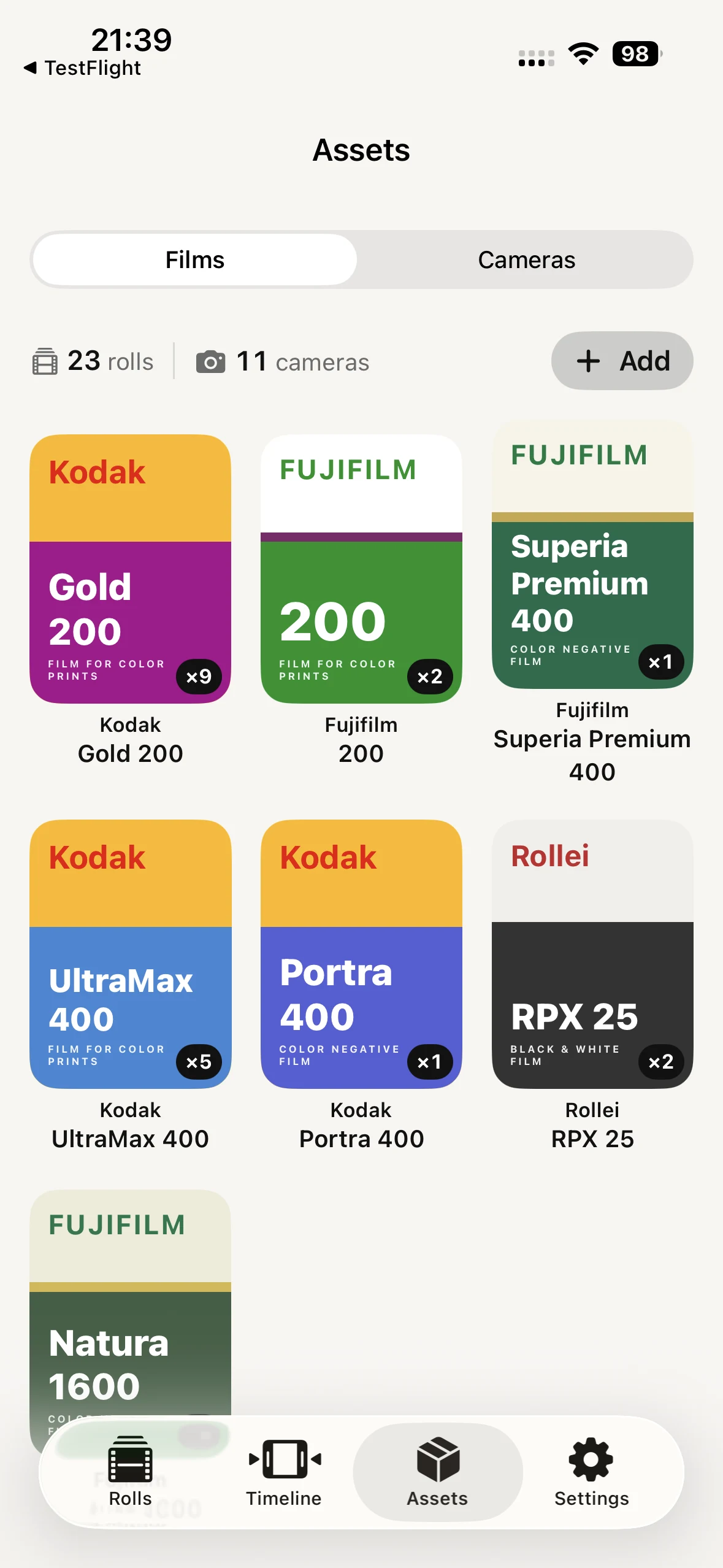
Keep your film stocks together and see which ones are ready to use.
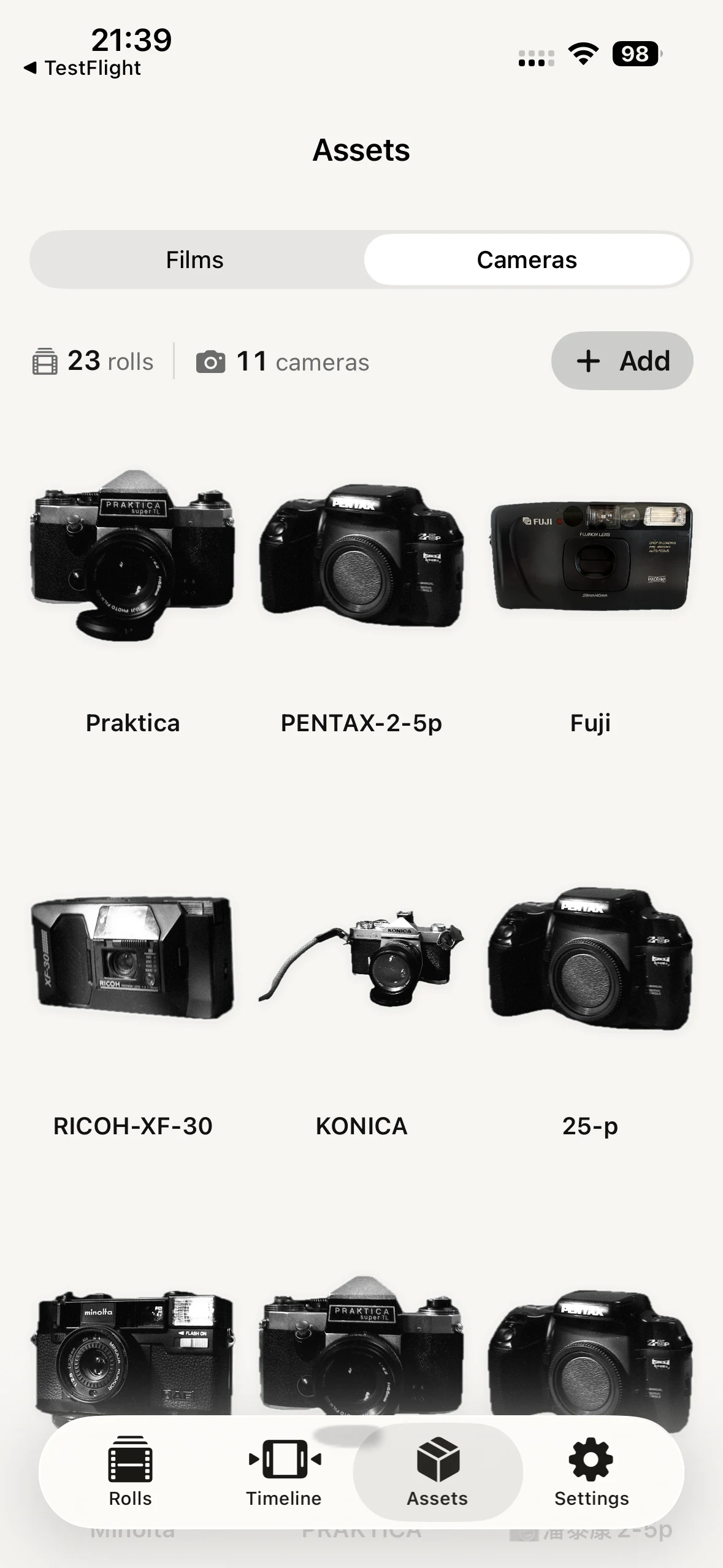
Manage your frequently used cameras with their own images and names.
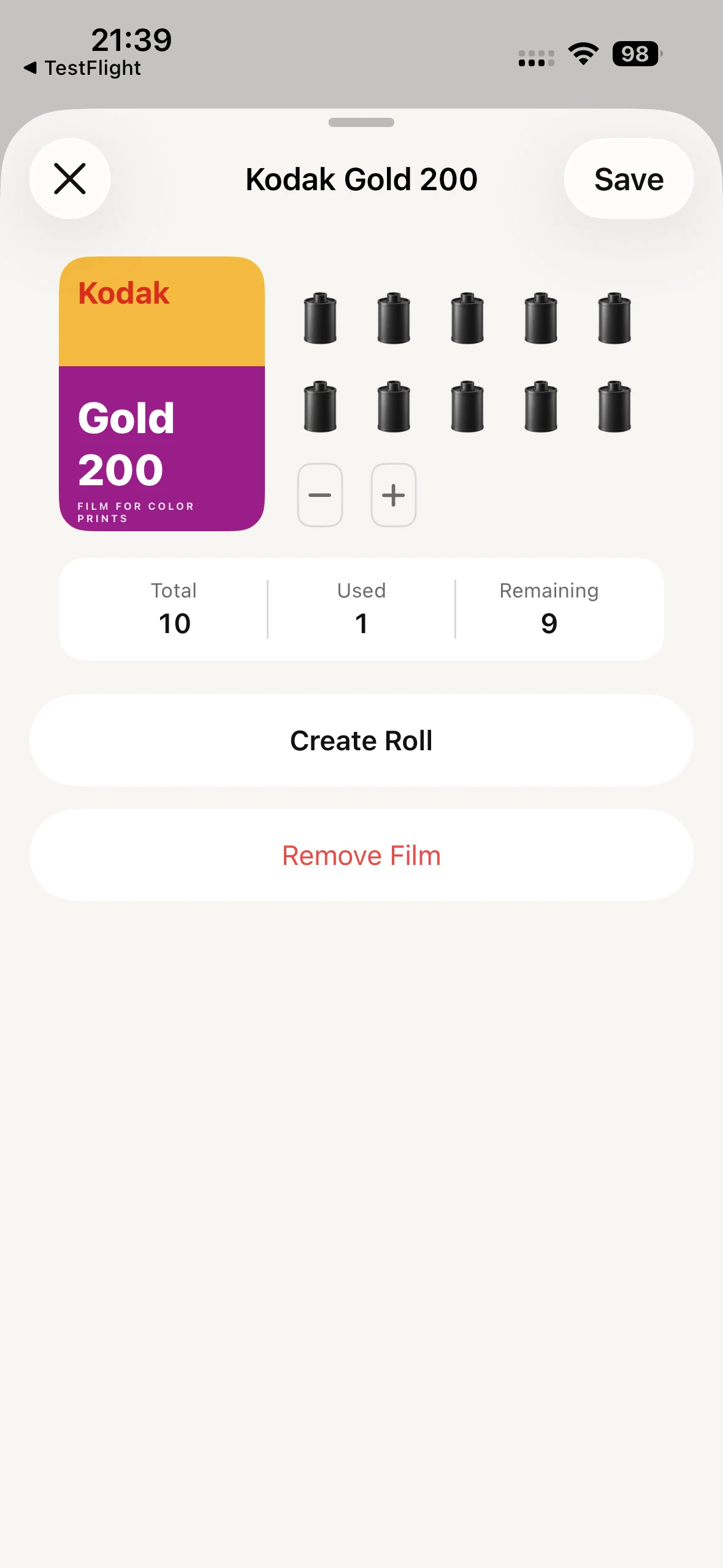
Track total, used, and remaining frames before creating a roll.
A home for every frame
These are the features that most change how you build, browse, and share your archive.
Manage unshot film and frequently used cameras together.
See the films and cameras you actually used, along with the number of photos taken.
Revisit your archive and get a reminder when a roll has been left unopened for too long.
Check roll statistics, roll memories, and your camera rack directly from the Home Screen.
Add film-inspired backgrounds to shared thumbnails and switch between themes.
Keep roll details, photos, and camera configurations consistent across your devices.
Select multiple photos from your iPhone photo library and create a new roll directly.
Rotate or mirror frames, then share a full roll or only the frames you choose.
FAQ
Roll36 is an iPhone app for organizing scanned film photos by roll. It keeps film details, frames, notes, dates, favorites, and sharing together in a private archive.
No. Roll36 does not take photos or apply film filters. It is for photos shot on real film, then developed and scanned.
Create a film roll, record its stock, format, expected or actual frame count, date, name, and notes, then add the scanned frames in order.
No. Your photos and archive stay in local app storage on your device.
Roll36 supports custom format definitions, more than 100 film stocks, and custom camera binding.
No. Roll36 does not require a Roll36 account. You can organize your film archive locally, or use your own iCloud account to sync roll details, photos, and camera configurations across your devices. Your data stays under your control and protection.
Yes. Search your rolls by film stock, date, name, or other saved roll details.
ROLL36
Keep the sequence, context, and texture of every roll close.
View on the App StoreDownload on the App Store